Best CMS Platforms in 2025: Full Comparison Guide for Blogs, Businesses & More
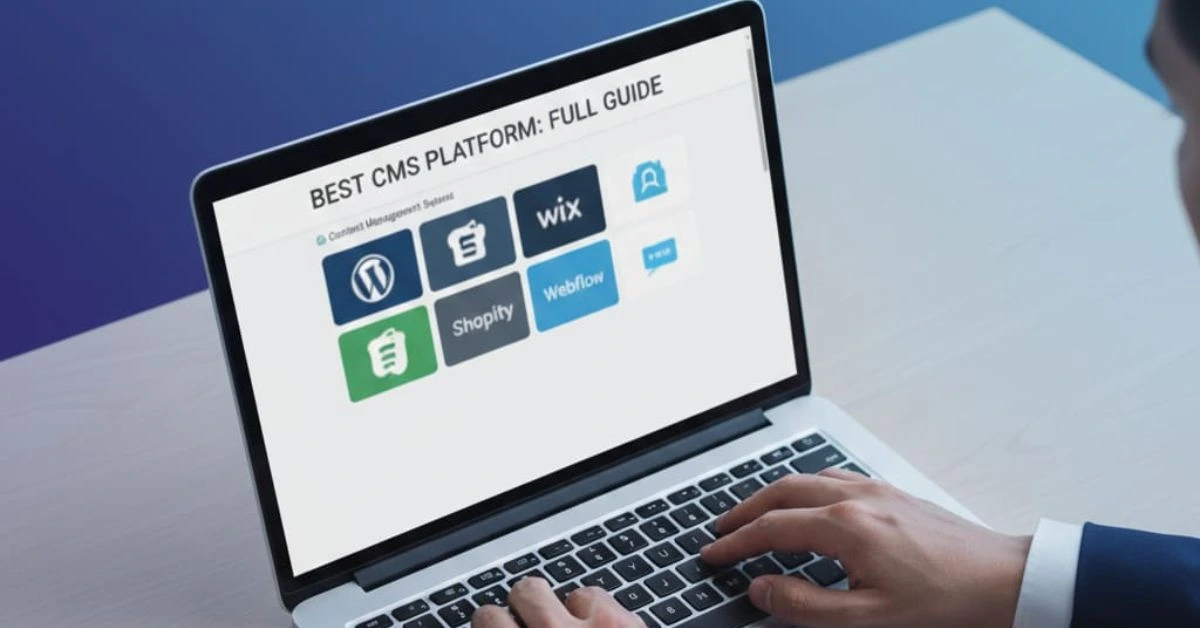
Be it a blog, an online store, or a business website, one of the things you are going to require is a Content Management System (CMS). But there are so many choices to be made, WordPress, Webflow, Shopify, Wix, and so on. How to choose the one that is right to your taste?
During this guide, we are going to clarify what CMS is, why it is so significant in 2025, compare the most appropriate CMS platforms, and assist you in making your choice, depending on your requirements.
So what is a CMS?
A CMS (content management system) is a piece of software that allows you to create, control and make the content on your site without writing a single line of code. The editing of HTML or CSS files is not required to change the text, to add images, to alter layouts, or to create a blog post as you can do it using a visual dashboard (admin panel).
Aim to build websites but through what can be termed as Microsoft Word. One can type, add photos, format writing and press publish. The CMS works behind the scene to get your content up to the Internet.
The Reason Why CMS Platforms Are Important in 2025

By 2026, every site will not be a mere online business card. They are very effective marketing, sales, education, and content delivery tools. It implies that the content management of your site is more crucial than before.
These are the reasons why a decent CMS is a must nowadays:
Time Saving: You do not require a developer whenever you want to amend a page or post in the blog.
Easy to use: Customers are able to create content through a CMS that allows them to assemble the content by simply dragging and dropping it or via a simplified dashboard.
Scalable: You can begin small and expand your site as you add pages and users as time goes on, many CMSs support thousands of pages and users.
Search Engine Optimization: A quality CMS allows encoding of metadata, clean URLs, responsive appearance with mobile devices, and high-speed loading, which can make your site rank higher on Google.
Secure: Top CMS have security features that come in-built and are updated regularly to ensure the data resides secure.
It can be a personal blog, an online shop, or a company portal; the CMS is the framework that will enable you to determine the content, style, and user experience.
Different Types of CMS

It is best to be familiar with the four major types before selecting a CMS. They are developed to cater to the needs of various skills, objectives as well as websites.
1. Traditional CMS
A traditional CMS is a platform where both the content management (backend) and the website display (frontend) are bundled into one system. You create, edit, and publish your content within the same platform that also renders it on the website.
Examples: WordPress, Joomla, Drupal
Pros:
Easy to install and manage
Rich library of themes and plugins
One-stop solution for content, design, and hosting
Great for non-technical users
Cons:
It can become heavy with too many plugins
Updates and security patches must be managed carefully
Not ideal for delivering content to multiple devices (like mobile apps or kiosks)
Best For:
Blogs, news websites, corporate pages, and small-to-medium business websites
2. Headless CMS
A headless CMS is a Content management system that removes what is called a head (frontend presentation layer). It only deals with content creation and delivery via API and has given developers an opportunity to create their own custom frontends using a framework such as React, Vue or Angular.
Examples: Strapi, Contentful, Sanity
Pros:
Performance and speed The high performance and speed make the vehicle to be an excellent choice.
The versatile front-end development
Ideal multi-channel publications (website, app, smart TV etc.)
Modern technology and stack equipped to support in the future
Cons:
Lacks the ability to handle the frontend
No templates and drag-and-drop editors
More difficult to beginner learners
Best For:
The smart technology-based commerce, SaaS services, software developers, and cross-platform applications
3. Open-Source CMS
Open-Source CMS is a free system whose source code is open. You have the power to set it up on your server, modify it and make it fit your needs.
Examples: Ghost, Drupal, OctoberCMS
Pros:
No license cost
Fully customizable
Supported by global developer communities
Strong for complex or high-security projects
Cons:
Requires hosting and technical knowledge
Setup and maintenance are manual
May need developer support for advanced customizations
Best For:
Developers, agencies, and businesses needing full control and customization
4. Proprietary / Hosted CMS
A Proprietary CMS, also called a Hosted CMS, is built and maintained by a private company. It’s an all-in-one package that includes hosting, support, updates, and security.
Examples: Shopify, Wix, Webflow
Pros:
No technical skills needed
Easy setup with drag-and-drop tools
Customer support included
Secure and regularly updated
Cons:
Monthly/annual subscription fees
Less control over the server and backend
Limited flexibility beyond what the platform allows
Best For:
Beginners, small business owners, online stores, and portfolios
Top 7 Best CMS Platforms in 2025

The selection of the most suitable CMS (Content Management System) is conditioned by the level of your technical knowledge, business requirements, and the type of site you are going to create. Here are the best 7 CMS websites that you need to take into consideration in 2025, which are conveniently defined and analyzed in detail.
1. WordPress—The Most Flexible and Popular CMS
WordPress used to be a blogging engine, but today it is the most robust and flexible CMS on the globe. With WooCommerce, you can construct anything, as small as a personal blog to a complete news site, membership site, or e-commerce place.
Pros:
Community and documentation in huge amounts
More than 60000 themes and plugins
Allows the custom post types, user roles, and page builders
Superb SEO with a plugin such as Yoast and RankMath
Complex updates and patches of security
Cons:
Can become slow with too many plugins
Requires regular maintenance and backups
Some learning curve for complete beginners
Best For:
Bloggers, small business owners, agencies, developers, marketers, and anyone needing flexibility and scalability.
Pricing:
Free to use. Hosting starts from ₹300–₹800/month. You may also spend on premium themes or plugins.
2. Webflow – Designer’s Dream CMS
Webflow is perfect for designers who want full creative control without relying on developers. It generates clean, semantic HTML/CSS behind the scenes while letting you visually build dynamic pages, add CMS collections (like blog posts or portfolios), and host your site—all in one place.
Pros:
Pixel-perfect control over design
Built-in CMS collections for dynamic content
Clean code export (great for developers too)
Excellent for SEO and site performance
Built-in hosting, form handling, and backups
Cons:
Slight learning curve if you’re used to traditional CMS
Expensive for larger websites or teams
Not ideal for complex logic or app-like functionality
Best For:
Designers, agencies, freelancers, startup founders, and creatives who want complete visual control without writing code.
Pricing:
Free for staging. Paid plans start at $14/month. Hosting included.
3. Shopify – Best CMS for E-commerce
If you want to sell products online and don’t want to deal with technical headaches, Shopify is your best friend. It handles everything from design to checkout to inventory. It’s secure, fast, mobile-friendly, and highly customizable through its app ecosystem.
Pros:
Fast and secure hosting
Built-in payment gateway and shopping cart
Great theme marketplace
Easy inventory, order, and customer management
24/7 support and regular updates
Cons:
Monthly subscription fees
Custom features often need apps (some paid)
Limited control over server-side code
Best For:
E-commerce businesses, dropshipping entrepreneurs, D2C brands, and anyone selling physical or digital products online.
Pricing:
Starts at $29/month. Plans scale based on features, shipping, and staff accounts.
4. Wix – The Simplest CMS for Beginners
Wix is a fully hosted platform where you don’t need to worry about servers, security, or backend management. Just sign up, choose a template, and start editing. It’s perfect for people who want a website fast—without touching a line of code.
It also includes built-in tools for SEO, marketing, forms, bookings, and even online store functionality.
Pros:
Intuitive interface
Wix ADI (Artificial Design Intelligence) builds sites automatically
500+ templates
App market for added features
Mobile optimization included
Cons:
Limited control over the backend
Switching templates or exporting data is difficult
Not ideal for complex websites
Best For:
Absolute beginners, solo entrepreneurs, freelancers, local businesses, and hobbyists.
Pricing:
Free plan with Wix branding. Premium plans start at ₹399/month.
5. Ghost – For Clean, Fast, Content-First Sites
Ghost is built for performance and content simplicity. It’s fast, lightweight, and perfect for blogs, newsletters, and subscription-based content. The backend is beautifully minimal, letting you focus entirely on writing.
Ghost also comes with built-in support for email newsletters and paid subscriptions, making it a great option for content monetization.
Pros:
Minimal interface with Markdown support
Built-in SEO and AMP support
Fast-loading, uncluttered frontend
Great for memberships and newsletters
No plugins needed for core functions
Cons:
Requires some setup knowledge (unless using the hosted version)
Not suitable for complex layouts or app-like features
Limited plugin ecosystem
Best For:
Writers, journalists, bloggers, and solo content creators focused on speed, simplicity, and audience building.
Pricing:
Self-hosted: Free.
Managed hosting: Starts at $9/month (~₹750).
6. Joomla—Best for Advanced Website Structure
Joomla offers a strong basis to build on to developers and power users to establish those multifunctional sites that have many users, special kinds of content, and flexible designs. It is suitable when there is a need for a website with role-based access, a multilingual version, or a complicated data structure.
It is not as unapprehensive to use as WordPress, but it can be used more flexibly in some enterprise-oriented cases.
Pros:
Advanced user and access controls
Native multilingual support
High customizability with modules
Strong security when configured well
Cons:
Steeper learning curve
Smaller community and plugin/theme marketplace than WordPress
Requires developer involvement for setup and maintenance
Best For:
Government portals, universities, corporate intranets, and tech-savvy users who need custom workflows or multi-user functionality.
Pricing:
Free to use. You’ll need to buy hosting and a domain separately.
7. Contentful – The Modern Headless CMS
Contentful focuses only on content creation, not how it’s displayed. Developers can build the frontend separately using React, Vue, or other frameworks and pull content from Contentful through RESTful or GraphQL APIs.
It’s lightning-fast, extremely scalable, and great for omnichannel content delivery (e.g., web, mobile, smart devices).
Pros:
API-first architecture
Great for developers building custom experiences
Easily supports mobile apps, websites, and other platforms
Clean content modeling and version control
Scalable for large teams and enterprises
Cons:
Requires coding knowledge
No visual website builder
More expensive at scale
Best For:
App developers, enterprise teams, SaaS platforms, content delivery networks, and large-scale content-driven projects.
Pricing:
Free developer plan. Paid plans for teams start at $489/year.
How to Choose the Right CMS for Your Website
With so many CMS platforms out there, picking one can feel overwhelming. But the truth is, you don’t need the “best CMS in the world”—you need the best CMS for YOU.
1. Identify Your Website Goals
Your CMS must align with your purpose. Ask yourself:
| Goal | Best CMS Choices |
|---|---|
| I want to start a blog | WordPress, Ghost |
| I need a personal portfolio | Wix, Webflow |
| I want to build an online store | Shopify, WordPress (WooCommerce) |
| I need a business website | WordPress, Webflow |
| I need a fast, custom site for my app | Contentful, Strapi |
| I want a newsletter or a paid content site | Ghost, WordPress |
2. Understand Your Technical Skills
| Your Skill Level | Recommended CMS |
|---|---|
| Beginner | Wix, Shopify, WordPress.com |
| Intermediate | WordPress.org, Webflow |
| Developer | Joomla, Contentful, Strapi, Drupal |
3. Factor in Your Budget
| CMS | Base Cost | Additional Costs |
|---|---|---|
| WordPress.org | Free | Hosting, premium themes/plugins |
| Shopify | $29/month | Apps, themes, transaction fees |
| Wix | Free–₹399/month | Premium templates, extra storage |
| Ghost (Self-hosted) | Free | Hosting, domain |
| Webflow | Free–$14/month | CMS features, hosting |
| Joomla | Free | Hosting, developer setup |
| Contentful | Free (dev) | $489/year+ for teams |
4. Consider the Level of Customization You Need
| Need | Best CMS |
|---|---|
| I want full design control | Webflow, WordPress, Joomla |
| I want to tweak some elements | Shopify, Wix |
| I want a fully custom app or frontend | Contentful, Strapi |
Conclusion
Selecting the right CMS is a strategic decision that impacts your website’s performance, scalability, and long-term growth. With so many choices available, it’s important to align your platform with your business goals, technical needs, and future plans.
If you’d like expert guidance in choosing and implementing the ideal CMS for your business, our team is here to help. Contact us Today